
Gardenize: Garden & Plant care
Gardenize Garden App ABHouse & Home
3.6135.00 Reviews
- Version
- 6.5.0
- Installs
- 100.00K
- Age Rating
- Everyone
Screenshots
Our Review of Gardenize: Garden & Plant care
 Analysis by Appyee
I judge a plant-care app less by how much advice it promises and more by whether it helps me remember what I actually did: when I moved a pot, what I fed it, and whether that “new” leaf appeared before or after a change in routine. Gardenize: Garden & Plant Care is built around that kind of personal record-keeping. It is a free House & Home app from Gardenize Garden App AB, and its value makes the most sense when you want a lasting record of your own garden rather than another stream of general gardening tips.
Getting Started with Gardenize
First things first, downloading and setting up Gardenize is a breeze. Available on both Android and iOS, this app promises to be your personal gardening assistant. Once installed, you’re greeted with a user-friendly interface that even my tech-averse grandma could navigate. You’ll be asked to set up your profile, which involves jotting down your location and a few preferences. This helps the app tailor advice specific to your region's climate. Pretty neat, right?
That location step is also where I’d pause and think about how much personalization I really want. A garden journal can be useful without every detail of my home being recorded, so I prefer to enter only what seems necessary for the guidance I plan to use. Before adding a full collection, I’d also check the app’s current permission prompts and privacy choices on my own device. Those prompts can change with the operating system and app updates; I wouldn’t treat a gardening feature as a reason to approve access that I don’t understand or need.
The app is rated for Everyone, and it has built an audience of over 100,000 installs. Its average rating is 3.7 from around 1,200 ratings, with 131 written reviews, which suggests a useful but not universally smooth experience. I’d treat those figures as context rather than a guarantee: gardening habits vary, and an app that fits someone with a large outdoor plot may feel like more work than help to someone with a single windowsill plant.
Features That Stand Out
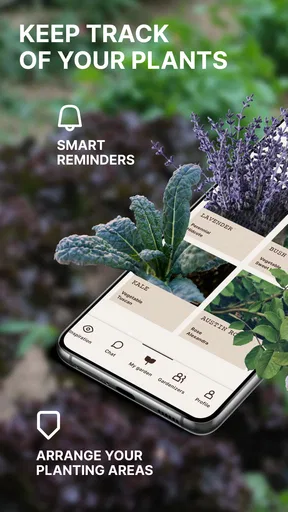
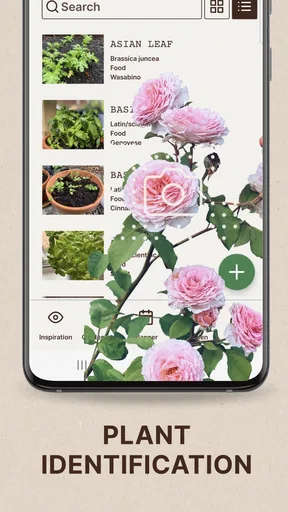
One of my favorite features is the plant library. Imagine having a massive database of plant care information right at your fingertips. You can search for plants by name, type, or even by the care they need. Whether you’re dealing with a stubborn rose bush or a temperamental tomato plant, this app has you covered.
In practice, the library is most useful when I treat it as a reference, not a substitute for observing the plant. If a suggestion seems out of step with the season, the light in my room, or the soil in a particular bed, I’d use my own conditions to judge it. A handy workflow is to record the plant’s location and a short note about its light or recent changes when I first add it. Later, a care reminder or a photo has more context, and I’m less likely to mistake a general plant note for a diagnosis of a specific problem.
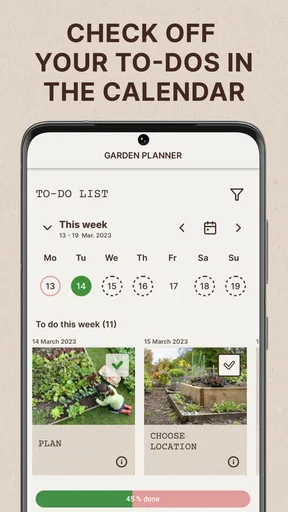
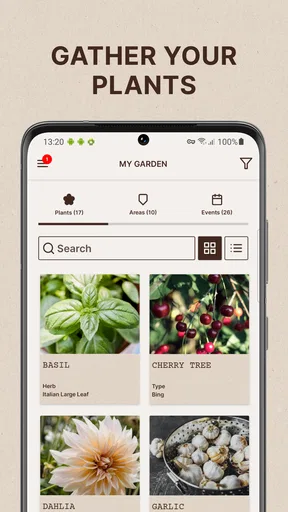
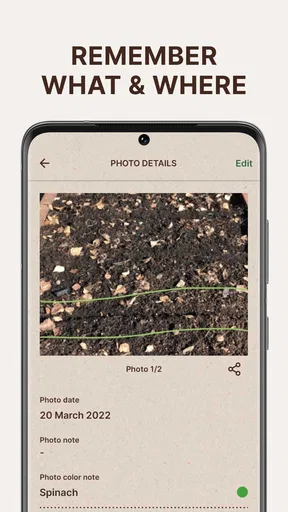
Another highlight is the garden planner. This tool helps you keep track of what you’ve planted, where, and when. It’s like having a personal diary for your garden, which is super helpful when you’re juggling multiple plant species. You can even add photos and notes, so you remember exactly when those tulips started blooming.
I’d use that record for decisions that are easy to forget between seasons: which container dried out fastest, where a seedling was placed, or when a plant first showed signs of stress. A photo taken from roughly the same angle each time can make gradual changes easier to notice than relying on memory. The trade-off is that a journal only becomes valuable if I keep it current. Rather than documenting every watering, I’d log events that may change what I do next—repotting, pruning, a pest sighting, or a shift in where the plant sits.
Keeping Your Garden Healthy
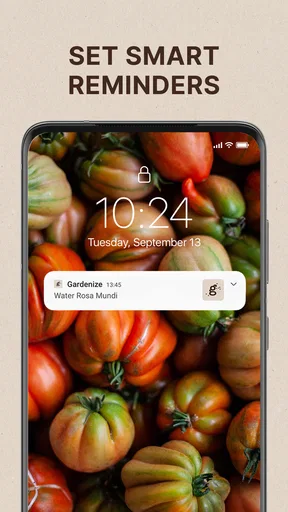
Gardenize isn’t just about planning; it’s about nurturing too. The app offers reminders for watering, fertilizing, and pruning tasks. For someone like me who tends to forget these things, these reminders are a lifesaver. The app learns your garden’s needs over time, sending you tips and tricks that are tailored to your specific plants.
For reminders to help rather than nag, I’d start with only a few recurring tasks and adjust them after seeing how they fit my actual routine. Watering is especially dependent on conditions: a hot week, a shaded corner, and a small pot can all change how quickly soil dries. I wouldn’t follow a schedule blindly. I’d treat a reminder as a prompt to check the plant, then note whether it needed water. That turns the journal into a practical feedback loop instead of a calendar that tells me to water regardless of what the soil is doing.
A realistic use case is a busy weekend gardener returning after a work trip. Rather than trying to remember whether the patio herbs were fed before leaving, they can consult their notes, inspect the plants, and update the next task. For a shared household, one person could use the record to communicate what has already been done, though I’d verify the available account and sharing controls before relying on the app as a shared log. The useful habit is simple: record the action soon after doing it, while the date and details are still clear.
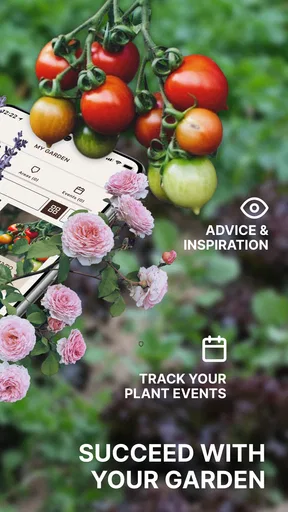
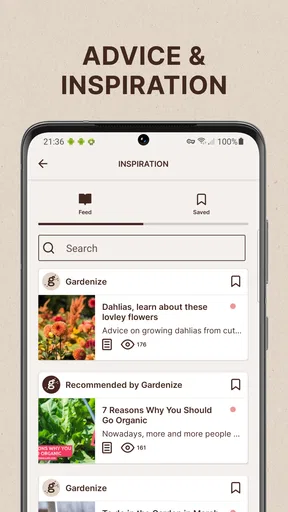
Want to connect with fellow gardeners? Gardenize has a social feature that lets you share photos and tips. It’s like Instagram for plants, and it’s a great way to get inspiration and advice from a community of plant lovers.
Sharing is a different kind of choice from keeping a private garden diary, so I’d be deliberate about what I post. A close-up of a leaf can invite useful advice without revealing much about the rest of a home; a wide garden photo may show more than intended. I’d review the image and its background before sharing, and I’d avoid treating community suggestions as expert diagnosis. The social side is best for inspiration and exchanging practical experiences, while decisions about a sick or valuable plant may call for a trusted local source as well.
Room for Improvement
Now, no app is perfect, and Gardenize has its quirks. Some users have mentioned that the plant library could be a bit more comprehensive. While it covers a wide range of common plants, you might find yourself searching for a rare species that’s not yet included. Additionally, the social aspect, while promising, could benefit from more interaction options.
That limitation matters most to collectors with unusual cultivars, gardeners who use regional names, or anyone who needs precise help with a plant that is difficult to identify. If a search comes up empty, I’d keep a clear name and care notes in my own record rather than entering a near match and later mistaking it for the right plant. For identification itself, a dedicated identification tool or a knowledgeable local gardening group may be a better first stop. Gardenize’s strength is organizing what I learn and observe, not making every uncertain identification certain.
There is also a small but important question of maintenance. A detailed journal can become a chore if I try to record every leaf, watering, and weather change. I’d begin with the plants I most often forget about or the ones I’m actively trying to improve, then add more only if the habit sticks. That keeps the app from becoming a second garden to tend. On the other hand, someone who enjoys careful logs may appreciate capturing more detail, especially when comparing how the same plant responds in different spots.
Another point to consider is that while the app is free, there are some features locked behind a premium version. For serious gardeners, the upgrade might be worth it, but casual users might just stick to the basics.
The current version is 6.5.0, and the app supports Android 6.0 and later. Gardenize is free to download, with in-app purchases ranging from $0.99 to $35.99 per item. I’d explore the free experience around my own routine before paying for anything: the right question is whether a paid feature solves a real gap in how I track or care for plants, not whether a larger garden automatically requires an upgrade. Someone who only wants occasional watering alerts may prefer a basic reminder app; someone who wants photos, plant details, and a garden history in one place may find a journal more useful than separate notes and calendar entries.
Choosing the Right Kind of Garden Tool
Compared with a notebook, Gardenize can make plant records easier to browse alongside photographs and reminders, but paper wins if I want a completely offline habit with no setup or account decisions. Compared with a general notes app, a garden-focused organizer gives the information a more natural home, while a notes app may be faster for someone who already keeps all household records there. A calendar is still better for a one-off task that must appear on a particular day; it is less useful for building a visual history of a plant’s progress.
I’d choose Gardenize if I had several beds or containers, liked looking back across seasons, or often forgot what I had already tried. I’d skip it if I only wanted an identification answer, a one-time care instruction, or a bare-bones alarm. The app asks for a little ongoing attention, so its payoff depends on whether I’m willing to enter observations. A useful compromise is to start with three plants that genuinely need tracking and see whether the journal changes a decision after a few weeks, rather than cataloging the entire garden on day one.
Final Thoughts
In conclusion, Gardenize: Garden & Plant Care is a fantastic tool for both novice and experienced gardeners. Its user-friendly design, comprehensive plant library, and customizable reminders make it a valuable addition to any gardener’s toolkit. While there’s room for improvement, especially in its social features and plant database, the app is on the right path.
My cautious recommendation is to use it first as a private, practical garden log: add a few plants, make notes that will help with a future decision, and see whether reminders fit your real care habits. Take a moment to review permissions and sharing choices when they appear, and keep sensitive details out of public posts. If that lightweight routine helps you notice patterns and avoid repeating mistakes, Gardenize earns its place on your phone. If the logging itself feels like more work than tending the plants, a simple notebook or calendar may suit you better.
If you’re looking to transform your gardening experience and keep your plants thriving, give Gardenize a try. You might just find yourself spending more time in the garden, enjoying the fruits (and flowers) of your labor.
Verdict
Strengths of Gardenize: Garden & Plant care
- User-friendly interface and navigation.
- Comprehensive plant care tips.
- Visual plant progress tracking.
- Community sharing for inspiration.
- Offline access to garden data.
Limitations of Gardenize: Garden & Plant care
- Limited plant database.
- No integration with smart devices.
- Occasional app crashes.
- Premium features are pricey.
- Requires manual data entry.
Similar Picks in This Category
View All
Universal TV Remote Control
CodeMatics Media Solutions3.9

AlfredCamera Home Security app
Alfred Systems Inc.4.7

Planner 5D: AI Home Design
Planner 5D4.5

Universal Tv Remote-Cast to TV
One Music Player4.1

Zillow: Homes for Sale & Rent
Zillow Group4.8

99acres Buy/Rent/Sell Property
infoedge.com4.3
Frequently Asked Questions
What is Gardenize and how does it work?
Gardenize is an app designed to help gardeners organize and manage their gardens effectively. It allows users to document plants, track garden activities, and take notes. You can upload photos, set reminders for plant care, and connect with other gardeners through its community features. It's a comprehensive tool for both novice and experienced gardeners.
Is Gardenize suitable for beginners?
Yes, Gardenize is user-friendly and suitable for beginners. It offers an intuitive interface that helps new gardeners learn about plant care and garden management. The app provides tips, guides, and customizable reminders, making it easier for beginners to track their progress and ensure their plants thrive.
Can I use Gardenize offline?
Gardenize requires an internet connection for certain features, such as community interactions and syncing data across devices. However, you can access some basic features like viewing your uploaded photos and notes offline. To ensure full functionality, it's best to use the app with a stable internet connection.
Does Gardenize offer plant care reminders?
Yes, Gardenize offers customizable plant care reminders. Users can set reminders for watering, fertilizing, pruning, and other garden activities. This feature helps ensure that you never miss a crucial task, allowing your plants to receive the care they need at the right time.
Is there a community feature in Gardenize?
Gardenize includes a community feature where users can connect and share experiences with other gardeners. You can exchange tips, ask questions, and get inspiration from fellow gardening enthusiasts. This feature fosters a sense of community and provides valuable insights from gardeners around the world.
